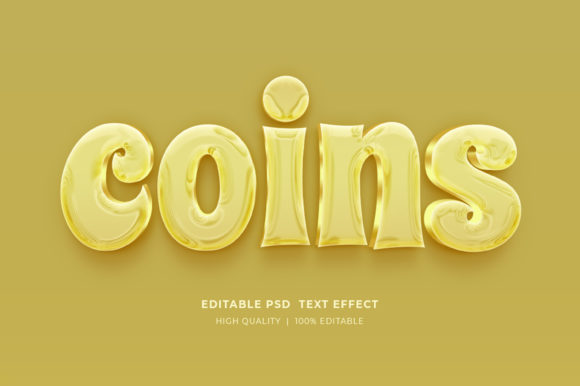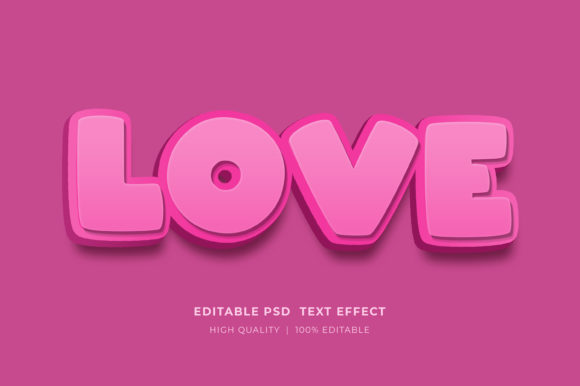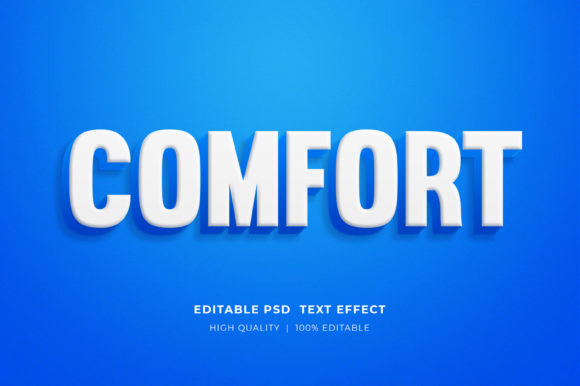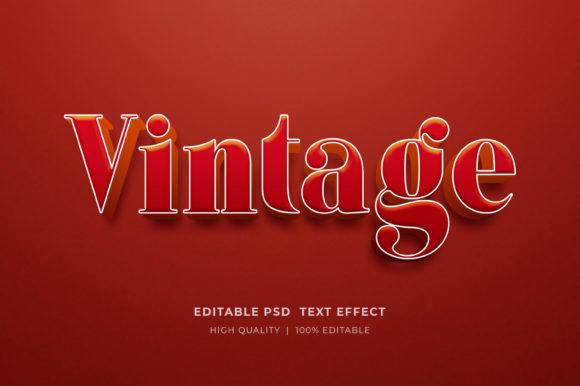
Comic 3D Editable Style Text Effect Guide
Visual storytelling has evolved from simple flat designs to immersive, tactile experiences that grab attention instantly. At the heart of this shift is the Comic 3D Editable Style Text Effect, a design resource that bridges the gap between professional graphic artistry and accessible customization. Whether you are a seasoned designer looking to speed up your workflow or a small business owner trying to create your first marketing flyer, understanding how to leverage these tools can transform the quality of your output without requiring years of technical training.
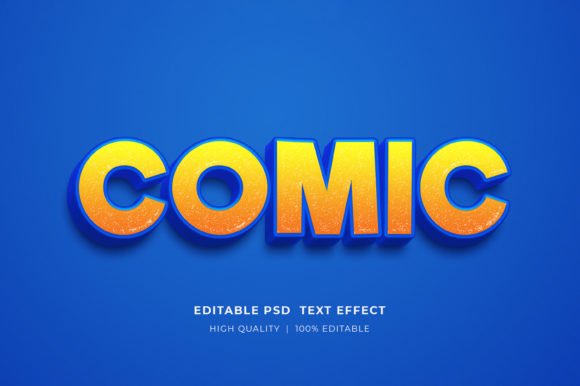
This specific style mimics the bold, dynamic lettering found in classic comic books but adds depth, shadow, and dimension through modern rendering techniques. Unlike static images, this effect comes packaged as a Smart Object within Adobe Photoshop. This distinction is crucial because it means the heavy lifting regarding lighting, texture, and perspective has already been done for you. Your role shifts from building an effect from scratch to simply curating the message.
Why Different Creators Value This Tool
The appeal of a 3D Editable Text Style Effect Mockup varies significantly depending on who is using it. For a professional graphic designer, time is often the most expensive commodity. Creating realistic 3D typography manually involves complex layer styles, masking, and lighting adjustments that can take hours per project. By utilizing a pre-made PSD file, a pro can deliver high-quality assets to clients in minutes, allowing them to focus on broader creative strategy rather than technical execution.
Conversely, for entrepreneurs and marketers, the priority is often brand consistency and speed to market. A blogger launching a new course or a local shop owner promoting a sale needs visuals that look expensive but must be produced on a tight budget. These editable effects provide a "premium" look that elevates brand perception. When a Facebook timeline cover or a web banner features polished, three-dimensional text, it signals professionalism and effort to the consumer, even if the creator spent only moments adjusting the type.
Educators and content creators in the KDP (Kindle Direct Publishing) space also find unique value here. Book covers need to pop in thumbnail sizes on digital storefronts. A comic-style 3D effect offers high contrast and readability, making titles stand out against busy backgrounds. For hobbyists and T-shirt designers involved in Print on Demand (POD), the flexibility to change colors and text means they can test dozens of niche ideas rapidly without redesigning the entire graphic from the ground up.
Practical Application Across Industries
The versatility of this tool lies in its adaptability to various mediums. Because the file is high-resolution and organized in RGB color, it translates well across both digital and print environments. Here is how different users might apply this effect to meet their specific goals:
- Marketing Materials: Create eye-catching headers for flyers and brochures that demand attention in a crowded physical space.
- Digital Presence: Enhance website elements and web banners with text that appears to jump off the screen, increasing click-through rates.
- Social Media: Design engaging Facebook timelines and Instagram posts where bold typography stops the scroll.
- Merchandise: Produce vibrant T-shirt designs and POD products where the 3D effect adds perceived value to the garment.
- Publishing: Craft compelling KDP book covers that communicate genre and tone instantly through stylized lettering.
- Presentations: Upgrade logo presentations and pitch decks with dynamic text that keeps audiences engaged.
For a freelancer, the ability to offer "custom 3D typography" as a service without needing advanced modeling skills opens up new revenue streams. For a consumer creating a birthday invitation or a party poster, it removes the intimidation factor of design software, allowing them to achieve results that rival professional studios.
How to Customize Your Design
One of the primary concerns for beginners is whether these files are too complicated to use. The reality is that the process is streamlined specifically for ease of use. The core technology behind this efficiency is the Smart Object. This feature encapsulates all the complex effects into a single, editable container. You do not need to understand blend modes, drop shadows, or bevel settings to make it work.
To change the text, logos, or icons, the process is intuitive and requires only a few clicks:
- Open the provided PSD file in Adobe Photoshop.
- Locate the layer designated as the Smart Object (usually clearly labeled).
- Double-click on the Smart Object thumbnail. This action opens a new tab containing just the text layer.
- Select the Type Tool from the toolbar.
- Click on the existing text and replace it with your desired wording.
- Save the Smart Object file (Ctrl+S or Cmd+S).
- Return to the main document tab, and you will see your new text automatically rendered with the full 3D comic effect applied.
Beyond text, many of these files allow for color editing. You can adjust hues to match specific brand guidelines or seasonal themes. Because the layers are well-organized, finding the color adjustment layers is straightforward, ensuring that even those with limited Photoshop experience can maintain control over the final aesthetic.
Technical Requirements and File Management
To get started, you will need access to Adobe Photoshop, as this is the native environment for PSD files. The download typically arrives in a compressed Zipped format to ensure fast transfer and data integrity. Before you can edit anything, you must extract these files. Simply right-click on the Zip folder and select "Extract Here." This step is essential; attempting to edit the file while it is still zipped can lead to errors or save failures.
The included package usually consists of a single, highly optimized PSD file. Despite being one file, it contains multiple hidden layers working in unison to create the illusion of depth. The resolution is generally set high enough to support large-format printing, such as posters or banners, while remaining lightweight enough for quick web loading times. This balance between quality and performance is what makes the asset valuable for long-term use.
Evaluating If This Effect Fits Your Needs
Deciding whether to incorporate the Comic 3D Editable Style Text Effect into your workflow depends on your current project requirements. If your goal is subtlety and minimalism, this bold style might be too aggressive. However, if your objective is to generate excitement, convey energy, or target a younger demographic, this aesthetic is unparalleled.
Consider the longevity of your project. For evergreen content like a book cover or a core logo element, ensure the comic style aligns with your long-term brand identity. For short-term campaigns, event flyers, or social media trends, the high-impact nature of 3D text is perfect for capturing fleeting attention spans. The cost-benefit analysis almost always favors using a template like this; the time saved compared to manual creation allows you to iterate more designs, test more concepts, and ultimately produce better work.
Ultimately, tools like this democratize high-end design. They allow a hobbyist to feel like a pro and a pro to work like a powerhouse. By removing technical barriers, you can focus entirely on the message you want to convey. Whether you are designing a T-shirt for a niche community or a banner for a global product launch, the ability to quickly edit and visualize your ideas in 3D is an invaluable asset in the modern creative toolkit.