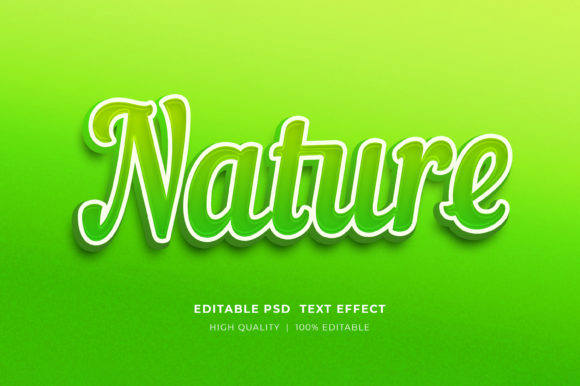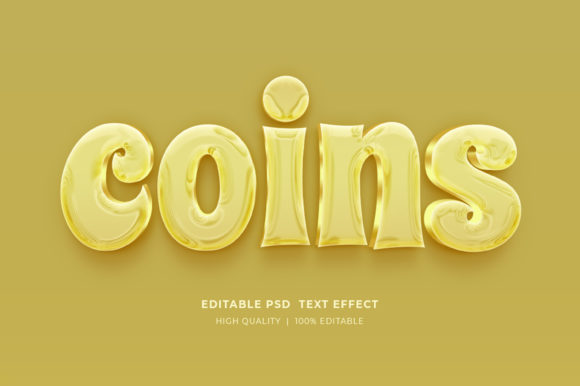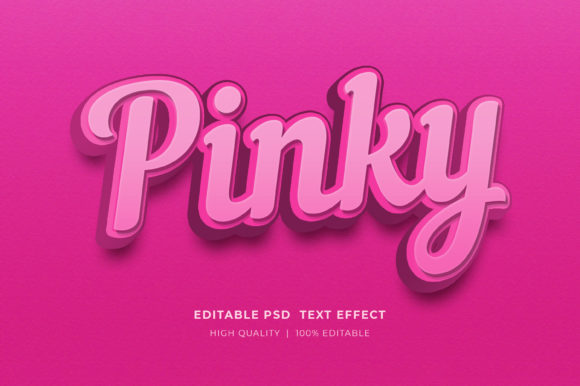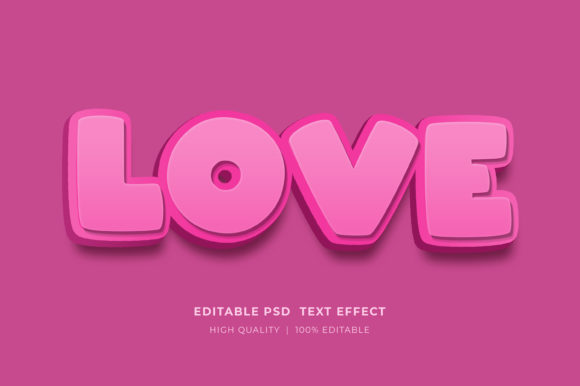
Unlocking Retro Aesthetics: A Practical Guide to the Vintage Editable 3D Text Style Effect
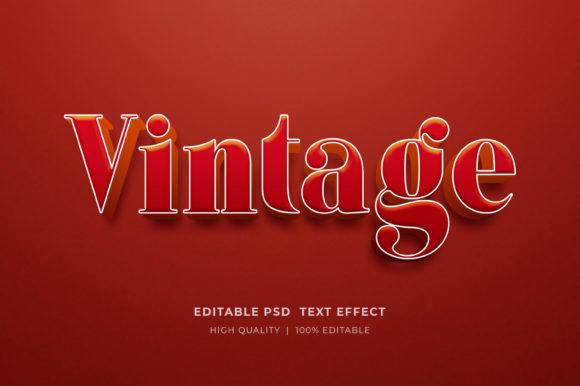
In the rapidly evolving landscape of graphic design, trends often cycle back to previous eras, bringing with them a sense of nostalgia and established visual trust. One such enduring aesthetic is the Vintage Editable 3D Text Style Effect. This specific design approach combines the depth and dimensionality of three-dimensional typography with the textured, worn, and colorful palettes characteristic of mid-20th-century advertising and signage. For designers, marketers, and content creators, understanding how to leverage this style efficiently can significantly impact the quality and reception of visual projects ranging from social media banners to physical merchandise.
The core appeal of this effect lies in its ability to command attention while simultaneously evoking a feeling of authenticity. Unlike flat design, which relies on minimalism and clean lines, a 3D vintage style adds weight and presence to text. However, creating these effects from scratch in Adobe Photoshop can be a time-consuming process involving complex layer styles, lighting adjustments, and texture overlays. This is where pre-made 3D Editable Text Style Effect Mockups become invaluable resources. They serve as a bridge between high-end custom illustration and rapid prototyping, allowing users to achieve professional results without needing to master every nuance of 3D rendering.
Understanding the Mechanics of Editable 3D Mockups
At a technical level, a Vintage Editable 3d Text Style Effect mockup is typically delivered as a PSD (Photoshop Document) file utilizing Smart Objects. This technology is the backbone of modern non-destructive editing. When a user opens the file, they are not merely looking at a static image; they are accessing a layered composition where the text element is encapsulated within a smart container.
The workflow is designed for efficiency and accessibility. To customize the design, the user simply needs to locate the specific Smart Object layer, often labeled clearly for ease of use. By double-clicking on the smart object icon, a new tab opens in Photoshop containing the source content. Here, the designer selects the Type Tool, highlights the existing placeholder text, and inputs their desired wording. Once saved, the main document automatically updates, applying the complex vintage lighting, shadows, bevels, and textures to the new text instantly. This process eliminates the need to manually recreate layer styles for every new project, ensuring consistency and saving hours of production time.
Beyond text replacement, these files usually offer extensive control over color and elements. Because the files are well-organized and easy to layer, users can adjust hue and saturation levels to match specific brand guidelines or campaign themes. Whether the goal is a warm, sepia-toned look reminiscent of the 1950s or a vibrant, neon-infused retro style from the 1980s, the editable nature of the RGB color settings allows for precise customization.
Comparative Analysis: Custom Creation vs. Pre-Made Effects
When evaluating whether to utilize a Vintage Editable 3d Text Style Effect template or to build a similar effect from scratch, several factors come into play. The primary consideration is the trade-off between total creative control and time efficiency.
Building from Scratch: Creating a vintage 3D effect manually offers unlimited flexibility. A designer can sculpt every angle of the extrusion, paint custom textures onto specific faces of the letters, and manipulate light sources with absolute precision. This approach is necessary for high-end branding projects where uniqueness is paramount and the budget allows for extensive labor. However, it requires a deep understanding of Photoshop's 3D capabilities (or third-party plugins), lighting theory, and texture mapping. It is also significantly slower, making it less viable for tight deadlines or high-volume content creation.
Using Editable Mockups: Conversely, using a pre-made 3D Editable Text Style Effect Mockup sacrifices some degree of geometric manipulation for speed and reliability. While you can change the text and colors, you are generally bound by the existing shape and perspective of the 3D model provided in the template. For most practical applications—such as YouTube thumbnails, Facebook timelines, web banners, and print templates—this limitation is negligible. The visual fidelity of high-resolution mockups often matches or exceeds what an average user could produce quickly on their own. Furthermore, these templates ensure that the "vintage" look is consistent, avoiding common pitfalls like unrealistic shadows or mismatched noise textures that can occur when building effects manually without experience.
Ideal Use Cases and Application Scenarios
The versatility of the Vintage Editable 3d Text Style Effect makes it suitable for a wide array of mediums. Its bold nature ensures readability even at smaller sizes, while its stylistic flair adds character to large-format displays.
- Social Media and Digital Marketing: In crowded feeds on platforms like Facebook and Instagram, posts need to stop the scroll. A 3D vintage headline on a timeline cover or promotional post stands out against the prevalence of flat, corporate graphics. It suggests creativity and effort, which can increase engagement rates.
- Print on Demand (POD) and Merchandise: For T-shirt designs, the retro aesthetic is perennially popular. These mockups allow sellers to visualize how text will look on fabric before committing to a print run. The high-resolution output ensures that when the design is transferred to a garment, the edges remain crisp and the colors vibrant.
- Publishing and Book Covers: Authors utilizing Kindle Direct Publishing (KDP) often seek covers that convey genre immediately. A mystery novel or a historical fiction book can benefit immensely from a title treated with a weathered, 3D vintage effect, signaling tone and setting to potential readers before they read the synopsis.
- Logo Presentations and Branding: While a final logo is often delivered in vector format, presenting a logo concept in a realistic 3D environment helps clients visualize the brand in the real world. Using a mockup to show a logo on a storefront sign or a business card with a retro finish can be a powerful sales tool for designers.
- Event Flyers and Posters: For concerts, markets, or community events, a strong typographic hierarchy is essential. The depth provided by 3D text allows the event name to pop off the page, while the vintage styling can set the mood for the event itself.
Technical Requirements and File Management
To successfully implement these effects, users must have access to Adobe Photoshop, as the Smart Object functionality is native to this software. The files are typically distributed in a compressed Zipped format to reduce download size and organize the assets. Upon downloading, it is crucial to extract the files correctly. Users should right-click on the zip folder and select "Extract Here" or a similar command depending on their operating system. Attempting to edit the file directly from within the compressed archive can lead to errors, lost changes, or corruption of the Smart Object links.
Once extracted, the organization of the layers becomes critical. High-quality templates feature well-organized layer groups, separating background elements, lighting adjustments, and the text smart objects. This structure not only aids in editing but also allows advanced users to tweak specific aspects of the composition, such as adding additional grain or adjusting the contrast of the background independently of the text.
Making the Right Choice for Your Project
Deciding whether the Vintage Editable 3d Text Style Effect is the right choice depends largely on the project's goals and constraints. If the objective is to create a large volume of marketing materials quickly while maintaining a cohesive, high-quality aesthetic, these mockups are an superior option. They democratize access to complex design styles, allowing small business owners and independent creators to compete visually with larger agencies.
However, if a project requires a completely unique typographic structure that defies standard fonts or needs to interact with a 3D environment in a way that pre-set angles cannot accommodate, custom creation may still be necessary. Additionally, for projects destined for massive scale billboards where every pixel of vector data matters, a raster-based mockup might need to be supplemented with vector workflows, though high-resolution PSDs often suffice for most large-format prints.
Ultimately, the value of these tools lies in their ability to streamline the creative process. They allow the designer to focus on the message and the layout rather than getting bogged down in the technical intricacies of rendering light and shadow. By leveraging these resources, creators can produce great posters, flyers, banners, and digital assets that resonate with audiences through the timeless appeal of vintage design.
For those encountering difficulties with file extraction or editing, most creators provide support channels, often accessible through their profile pages, to ensure users can maximize the utility of the product. Providing feedback and ratings on these resources also helps the community by highlighting which tools offer the best balance of ease-of-use and visual quality, fostering a healthier ecosystem for digital design assets.