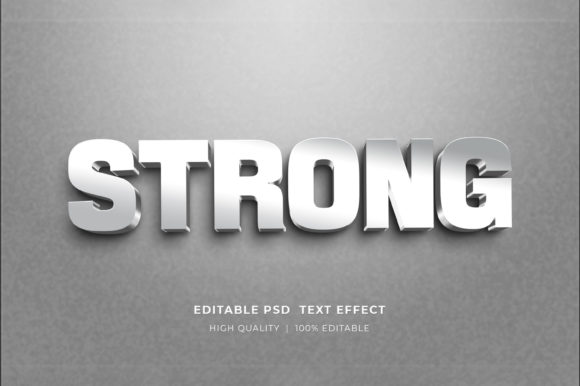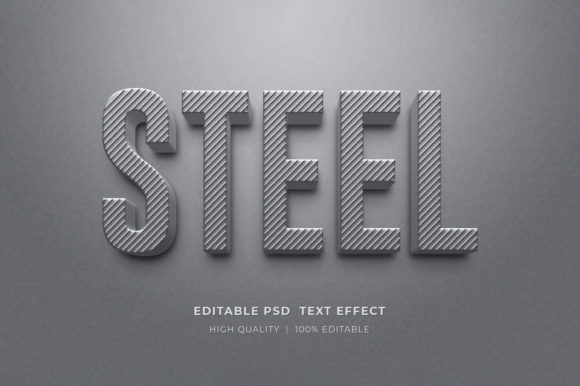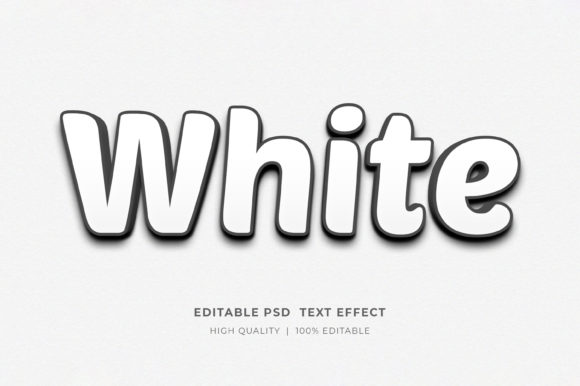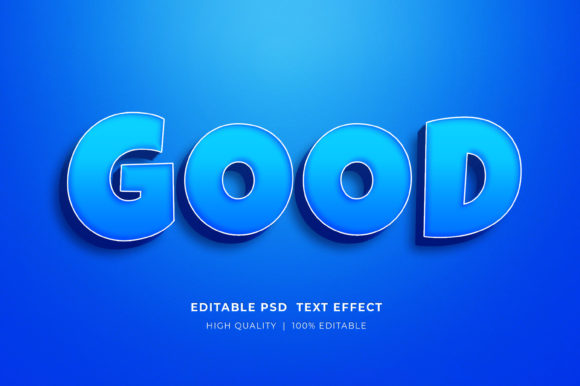
Mastering the Silver Editable 3D Text Style Effect for Professional Designs
In the fast-paced world of digital design, first impressions are often made within seconds. Whether you are scrolling through a social media feed, browsing an online store, or flipping through a digital catalog, the typography grabs your attention before the image even registers. This is where the Silver Editable 3D Text Style Effect becomes an invaluable asset for creators who need to produce high-quality visuals without spending hours on complex rendering techniques. It isn't just about making words look shiny; it is about adding depth, weight, and a premium feel to your communication that flat text simply cannot achieve.
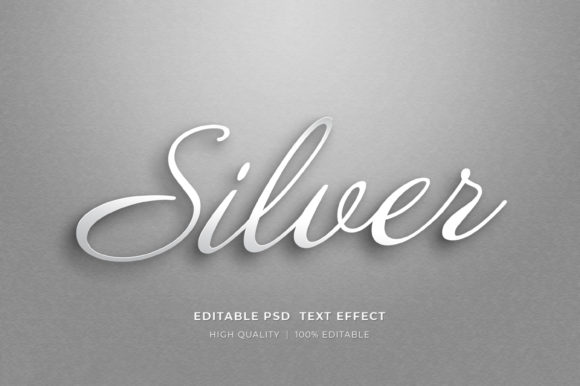
At its core, this tool is a specialized Photoshop mockup designed to streamline the workflow for anyone needing metallic, three-dimensional typography. Instead of manually adjusting layer styles, bevels, embossing, and lighting angles to create a realistic silver finish, users can leverage a pre-configured smart object system. The process is remarkably straightforward: you open the file, locate the smart object layer, double-click it, and a new tab opens where you can simply type your desired text using the type tool. Once saved, the main document automatically updates, wrapping your new words in a sophisticated, reflective silver casing complete with realistic shadows and highlights.
Real-World Applications for Entrepreneurs and Marketers
For small business owners and marketers, the pressure to constantly churn out fresh content can be overwhelming. The 3D Editable Text Style Effect Mockup solves this by providing a consistent, high-end look across various marketing materials. Imagine launching a new luxury product line, such as high-end watches or jewelry. A standard flyer with black text on a white background might convey the information, but it lacks the emotional pull of prestige. By applying a silver 3D effect to the headline, the material instantly communicates quality and exclusivity.
This utility extends heavily into the realm of Facebook timelines and web banners. In the crowded landscape of social media advertising, ads that utilize depth and texture tend to stop the scroll more effectively than flat graphics. A marketer running a flash sale for a tech gadget can use this effect to make the discount percentage or the product name pop off the screen, creating a sense of urgency and tangible value. Similarly, for website elements, such as hero headers or call-to-action buttons, the silver finish can guide the user's eye to the most critical parts of the page, improving click-through rates without requiring custom coding or advanced graphic design skills.
Elevating Print and Merchandise Designs
The versatility of this tool shines just as brightly in physical and print-on-demand (POD) contexts. For those involved in T-Shirt design or creating merchandise for platforms like Redbubble or Teespring, typography is often the main event. A band name, a motivational quote, or a brand logo rendered in a realistic silver 3D style can transform a basic cotton tee into a statement piece. The mockup allows designers to visualize exactly how the light will hit the curves of the letters, ensuring the final print looks dynamic rather than muddy.
Furthermore, the rise of self-publishing has made KDP Book Cover Design a crucial skill for authors. Genre fiction, particularly thrillers, sci-fi, and business non-fiction, often relies on bold, metallic typography to signal tone and genre expectations. An author self-publishing a book on financial success can use the silver effect to give their title a "steel-strong" appearance, subconsciously reinforcing themes of stability and wealth. Because the file is high-resolution and organized by layers, these designs are ready for professional printing, ensuring that the crisp edges of the 3D text remain sharp on the physical cover.
Why This Workflow Matters for Freelancers and Educators
Freelancers often juggle multiple clients with tight deadlines. The ability to edit text and elements quickly means more time spent on strategy and less on technical execution. When a client requests a last-minute change to a logo presentation or a conference banner, having a well-organized PSD file with smart objects allows for instant updates. You do not need to rebuild the lighting or re-render the metal texture; the smart object handles the heavy lifting. This efficiency translates directly to better profit margins and the capacity to take on more projects.
Educators and trainers creating course materials also benefit significantly. When designing certificates, award slides, or promotional posters for workshops, a touch of 3D elegance adds a layer of formality and celebration. It helps distinguish special announcements from everyday handouts, making the recipient feel that the achievement is substantial. The Silver Editable 3D Text Style Effect provides that polish without requiring the educator to become a Photoshop expert.
Technical Considerations and Best Practices
Before diving into your next project, there are a few practical things to consider to ensure you get the best results. First, understand that while the effect is editable, the underlying lighting and camera angle are baked into the mockup to ensure realism. This means the effect works best with concise, impactful text rather than long paragraphs. Think headlines, logos, and short phrases. If you try to force a whole sentence into a 3D space designed for a word, the depth might become visually cluttered.
Additionally, pay attention to the color mode. These files typically come in RGB Color, which is ideal for digital screens, web banners, and social media. However, if you are sending files off to a professional printer for large format banners or book covers, you may need to convert the final composition to CMYK, keeping in mind that metallic silver can sometimes be tricky to reproduce perfectly with standard inkjet printers unless specific spot colors or foil stamping are used. For most POD services and home printing, the high-resolution RGB output usually translates well enough for visual impact.
Getting started is technically simple but requires the right setup. The files are delivered in a compressed zipped format to keep download sizes manageable. You will need to extract the folder by right-clicking and selecting "Extract Here" before opening the contents in Adobe Photoshop. Once inside, the layer organization is key. Look for the smart object icon, usually marked clearly, and double-click to begin editing. Because the layers are well-organized, you can also tweak background colors or add additional icons without breaking the 3D illusion of the text.
Making the Right Choice for Your Project
When deciding whether to use this specific style, ask yourself what emotion you want to evoke. Silver suggests modernity, technology, luxury, and strength. It is an excellent choice for corporate branding, tech startups, and premium product launches. However, if your brand identity is rooted in warmth, organic materials, or playful whimsy, a cold metallic finish might feel out of place. Always align the tool with your broader brand strategy.
Ultimately, tools like the 3D Editable Text Style Effect Mockup democratize high-level design. They allow a solopreneur working from a home office to produce visuals that rival those of large agencies. By removing the technical barriers to creating realistic 3D typography, you can focus on the message you are trying to send. Whether you are designing a poster for a local event, a banner for an e-commerce site, or a cover for your latest novel, the ability to quickly iterate and visualize professional-grade text effects can be the difference between a project that gets ignored and one that gets noticed.
If you encounter any difficulties extracting the files or navigating the smart objects, remember that support is often available through the creator's profile page. Engaging with the community and leaving feedback, such as a 5-star rating, not only helps the designer continue creating useful resources but also builds a network of shared knowledge for all users. Embrace these tools to elevate your creative output and bring a new dimension to your visual storytelling.