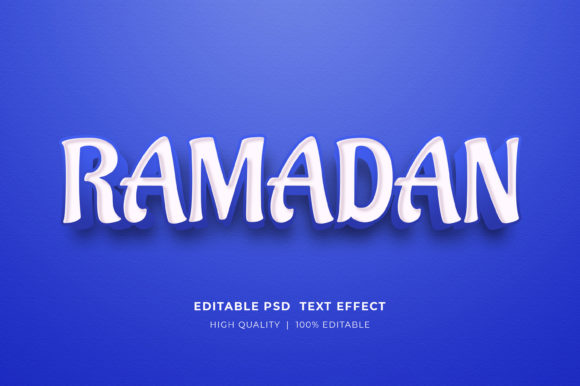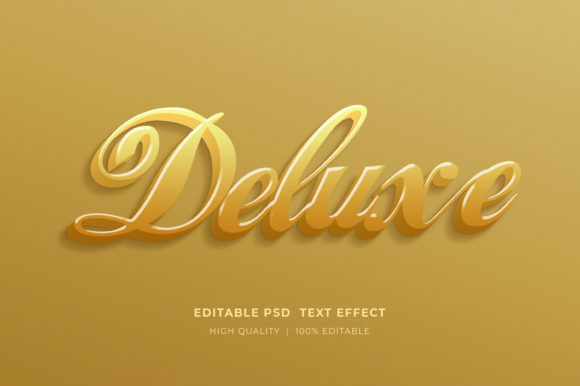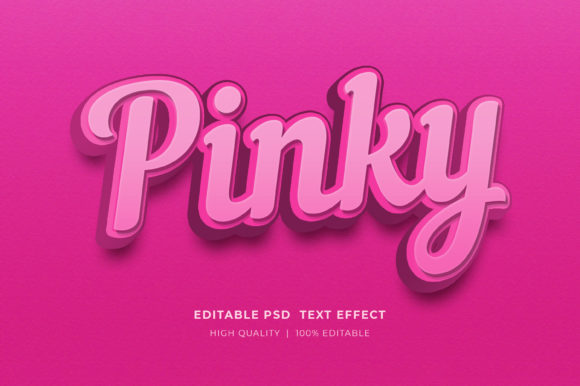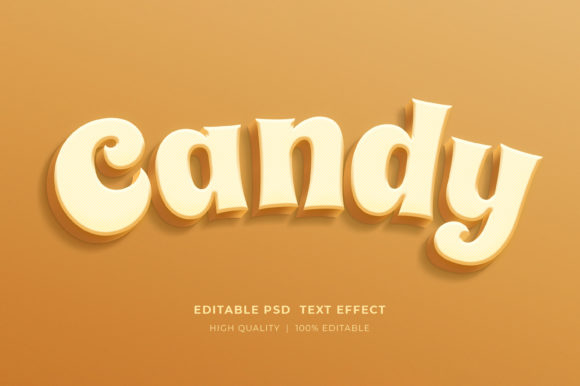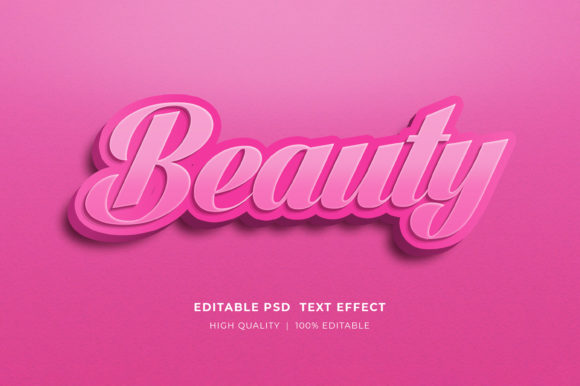
Mastering Visual Impact with the Beauty Editable 3D Text Style Effect
In the rapidly evolving landscape of digital design, the ability to capture attention within seconds is paramount. Whether for a social media scroll, a website landing page, or a physical product package, typography has transcended its traditional role as mere information delivery to become a central visual element. Among the most sought-after tools for achieving this level of engagement is the Beauty Editable 3D Text Style Effect. This sophisticated design asset allows creators to infuse depth, dimension, and professional polish into their projects without requiring advanced 3D modeling skills or hours of manual rendering.
The appeal of three-dimensional typography lies in its tactile quality. Unlike flat text, 3D lettering interacts with light and shadow, creating a sense of presence that draws the viewer in. When utilizing a high-quality 3D Editable Text Style Effect Mockup, designers gain access to pre-calculated lighting scenarios, realistic textures, and complex layer structures that would otherwise take significant time to build from scratch. The result is a versatile workflow where the focus shifts from technical construction to creative expression.
The Mechanics of Smart Object Editing
At the heart of this efficient workflow is the technology of Smart Objects within Adobe Photoshop. For many users, the concept of editing a complex 3D effect might seem daunting, but these templates are engineered for simplicity. The core functionality relies on a non-destructive editing process that preserves the integrity of the original effects while allowing total customization of the content.
To change the text, logos, or icons, the process is remarkably straightforward. Users simply need to double-click on the smart object layer within the PSD file. This action triggers a new tab to open in Photoshop, isolating the specific element designated for modification. Inside this isolated environment, the designer selects the type tool, clicks on the existing placeholder text, and inputs their desired wording. Once saved, the main document automatically updates, applying the new text to the intricate 3D style, complete with all shadows, highlights, and bevels intact.
This method ensures that even users with intermediate Photoshop skills can produce output that rivals high-end studio work. The separation of content and style means that the complex layer styles—such as gradient overlays, inner glows, and drop shadows—remain untouched, eliminating the risk of accidentally breaking the visual effect while trying to change the message.
Versatility Across Digital and Print Media
The utility of the Beauty Editable 3D Text Style Effect extends far beyond a single medium. Its adaptability makes it an essential resource for a wide array of projects spanning both digital and print domains. Because the files are typically provided in high-resolution RGB color formats, they are optimized for screen display while retaining enough detail for high-quality printing when managed correctly.
For digital marketers and social media managers, these effects are invaluable for creating eye-catching Facebook timelines, Instagram stories, and web banners. In a feed saturated with flat imagery, a post featuring bold, dimensional text stands out, increasing click-through rates and engagement. Similarly, for web designers, these elements serve as powerful headers or call-to-action buttons that add depth to user interfaces without the heavy load times associated with actual 3D web rendering.
In the realm of print and physical products, the applications are equally robust. Designers creating flyers, posters, and marketing materials can use these effects to establish a hierarchy of information, making key headlines pop off the page. Furthermore, the rise of Print on Demand (POD) and Kindle Direct Publishing (KDP) has created a massive demand for unique cover designs. A KDP Book Cover Design featuring a striking 3D title can significantly improve a book's visibility in thumbnail views on online marketplaces. Likewise, T-Shirt designs benefit from the illusion of depth, giving apparel a premium, textured look that appeals to consumers.
Technical Specifications and File Organization
Understanding the technical foundation of these design assets is crucial for maximizing their potential. A professional-grade package usually includes a single, well-organized PSD file. The organization of layers is a critical feature; a "well-organized easy to layer" structure means that background elements, lighting adjustments, and the text itself are grouped logically. This allows advanced users to tweak specific aspects of the composition, such as adjusting the color balance or modifying the intensity of the lighting, without sifting through hundreds of unnamed layers.
The files are fully editable regarding text and color. While the primary function is to change the wording, the color properties are often linked to adjustment layers or specific blend modes, allowing users to shift the palette to match brand guidelines instantly. Whether the project requires a metallic gold finish, a neon cyberpunk glow, or a soft pastel matte, the underlying structure supports these variations seamlessly.
It is important to note that these are working files for Adobe Photoshop. They leverage the software's native rendering engine to create the 3D illusion. The files are delivered in a compressed zipped format to facilitate easy downloading and storage. To access the contents, users must extract the archive. This is a standard procedure: simply right-click on the zip folder and select "Extract Here." This step decompresses the data, revealing the high-resolution PSD ready for immediate use.
Enhancing Brand Identity and Logo Presentations
One of the most powerful use cases for the 3D Editable Text Style Effect Mockup is in logo presentation and brand identity development. When presenting a new logo concept to a client, a flat vector file often fails to convey the potential versatility of the mark. By applying a beauty 3D text effect, designers can showcase how the logo might appear on signage, merchandise, or digital headers.
These mockups allow for the creation of stunning logo presentations that contextualize the brand within a realistic environment. The depth added by the 3D effect suggests solidity and permanence, qualities that brands strive to communicate. Moreover, because the text is editable, agencies can rapidly generate multiple variations of a logo treatment during a brainstorming session, testing different fonts and stylistic approaches in real-time.
For educators and researchers in the field of graphic design, these files serve as excellent teaching tools. They demonstrate how layer styles interact, how lighting affects perception, and how typography can be manipulated to evoke emotion. Students can deconstruct the PSD files to learn professional techniques, analyzing how the creator achieved specific textures or lighting effects.
Workflow Efficiency and Creative Freedom
The primary advantage of utilizing pre-made 3D text effects is the drastic reduction in production time. Creating a convincing 3D text effect from scratch involves setting up 3D extrusions, configuring light sources, mapping textures, and rendering the final image—a process that can take hours and requires significant computational power. In contrast, using a Beauty Editable 3D Text Style Effect reduces this timeline to minutes.
This efficiency frees up creative energy for other aspects of the project, such as composition, color theory, and messaging. It allows hobbyists and small business owners to produce professional-grade graphics without hiring a dedicated 3D artist. The barrier to entry is lowered, democratizing access to high-quality visual assets.
Furthermore, the consistency offered by these templates ensures brand coherence. When creating a series of banners or a campaign across multiple platforms, using the same base 3D style ensures that all materials look like they belong to the same family. This visual consistency is key to building brand recognition.
Considerations for Optimal Results
While these tools are designed for ease of use, there are best practices to ensure optimal results. Since the files are high-resolution and contain complex layer styles, they can be resource-intensive. Users should ensure their version of Adobe Photoshop is up to date to handle the latest smart object features and blending modes efficiently.
When selecting fonts for the editable text area, it is advisable to choose typefaces that have sufficient weight and structure to support 3D extrusion. Very thin or delicate scripts may not render the 3D effect as dramatically as bolder sans-serif or slab-serif fonts. However, experimentation is encouraged, as the adjustable nature of the file allows for fine-tuning.
Additionally, while the default color mode is often RGB for screen vibrancy, designers intending to print these materials for large-format displays should verify color profiles and convert to CMYK if necessary, keeping in mind that some neon or highly saturated 3D effects may shift slightly in print.
Support and Community Engagement
The ecosystem surrounding these digital assets thrives on community feedback and support. Creators of these templates often provide direct channels for assistance. If a user encounters difficulties with extraction or editing, contacting the designer through their profile page is the recommended course of action. This direct line of communication helps resolve technical issues quickly, ensuring that the user can proceed with their project without delay.
Feedback loops are also vital for the continuous improvement of these resources. When users find value in a product, leaving a 5-star rating serves as more than just a metric; it inspires the designer to create more diverse and innovative designs. High ratings signal to the community that a resource is reliable and high-quality, guiding other professionals and hobbyists toward effective tools. This cycle of creation, usage, and feedback drives the evolution of design resources, leading to even more sophisticated and user-friendly assets in the future.
In conclusion, the Beauty Editable 3D Text Style Effect represents a convergence of aesthetic appeal and functional efficiency. By leveraging smart object technology, it empowers a broad spectrum of users—from corporate marketers to independent authors—to elevate their visual communications. Whether for a fleeting social media post or a lasting book cover, the ability to easily manipulate high-quality 3D text opens up endless possibilities for creative expression.